Cluster'ın tamamı tek ekranda
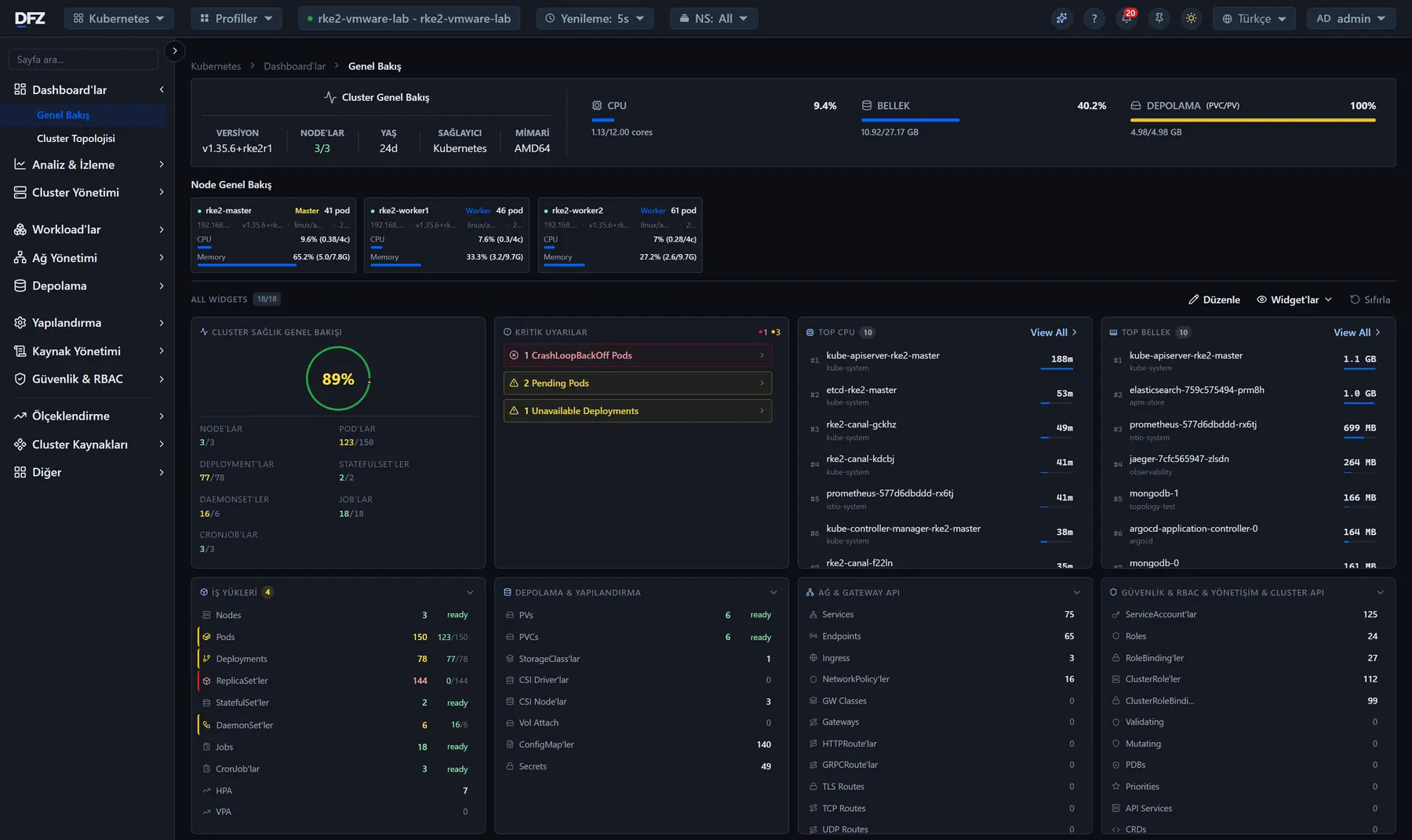
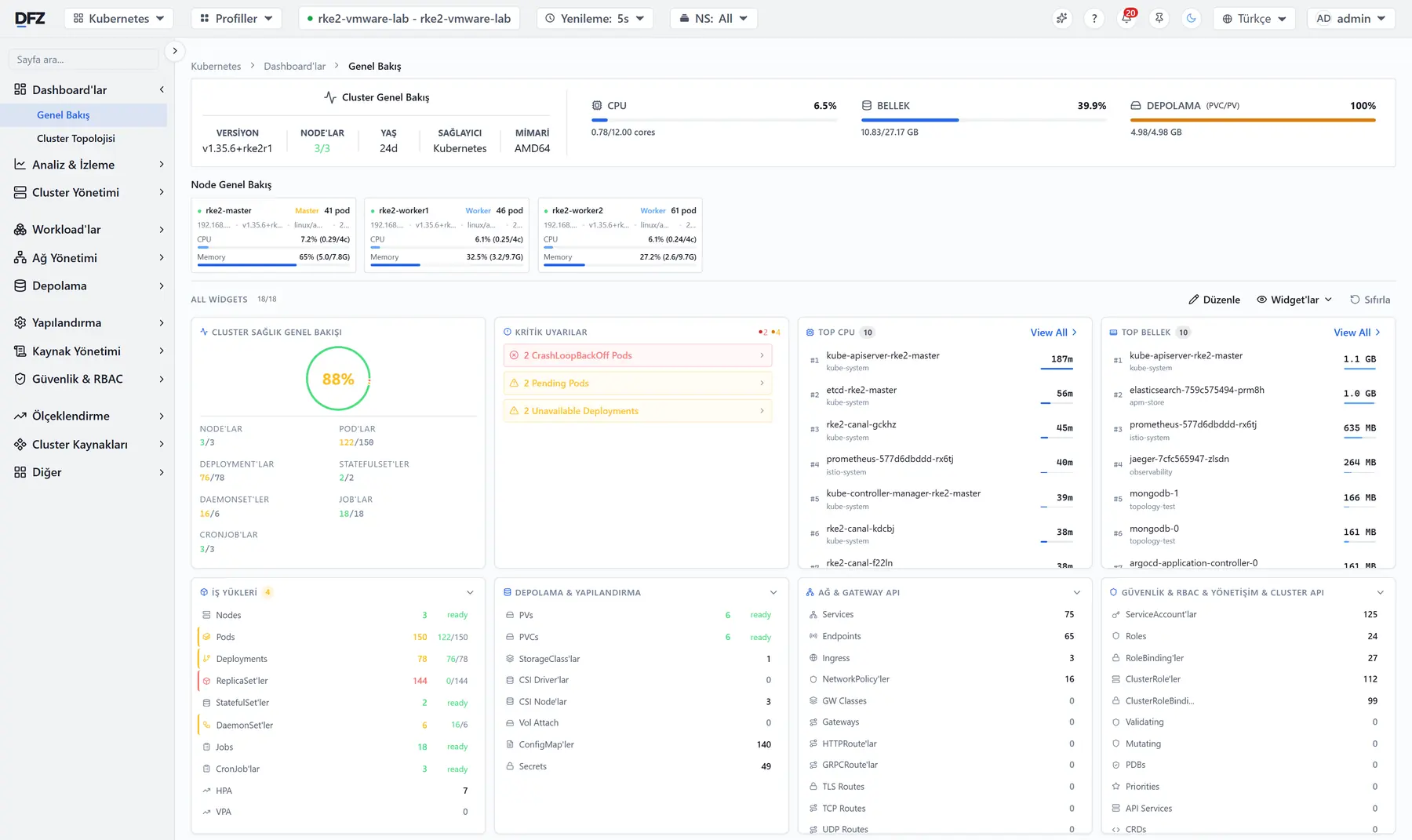
Sağlık tek bir oran olarak, o an yaşanan sorunlar hemen yanında; altında uygulama, depolama ve ağ özetleri.
Kubernetes'i kurar ve yönetir. Docker'ı yönetir. Altındaki sunucuları izler. Bir şey ters gittiğinde ekibinize haber verir.
Tek ürün, tek kurulum: Her ekip kendi uygulamasını izleyip yönetebilir.
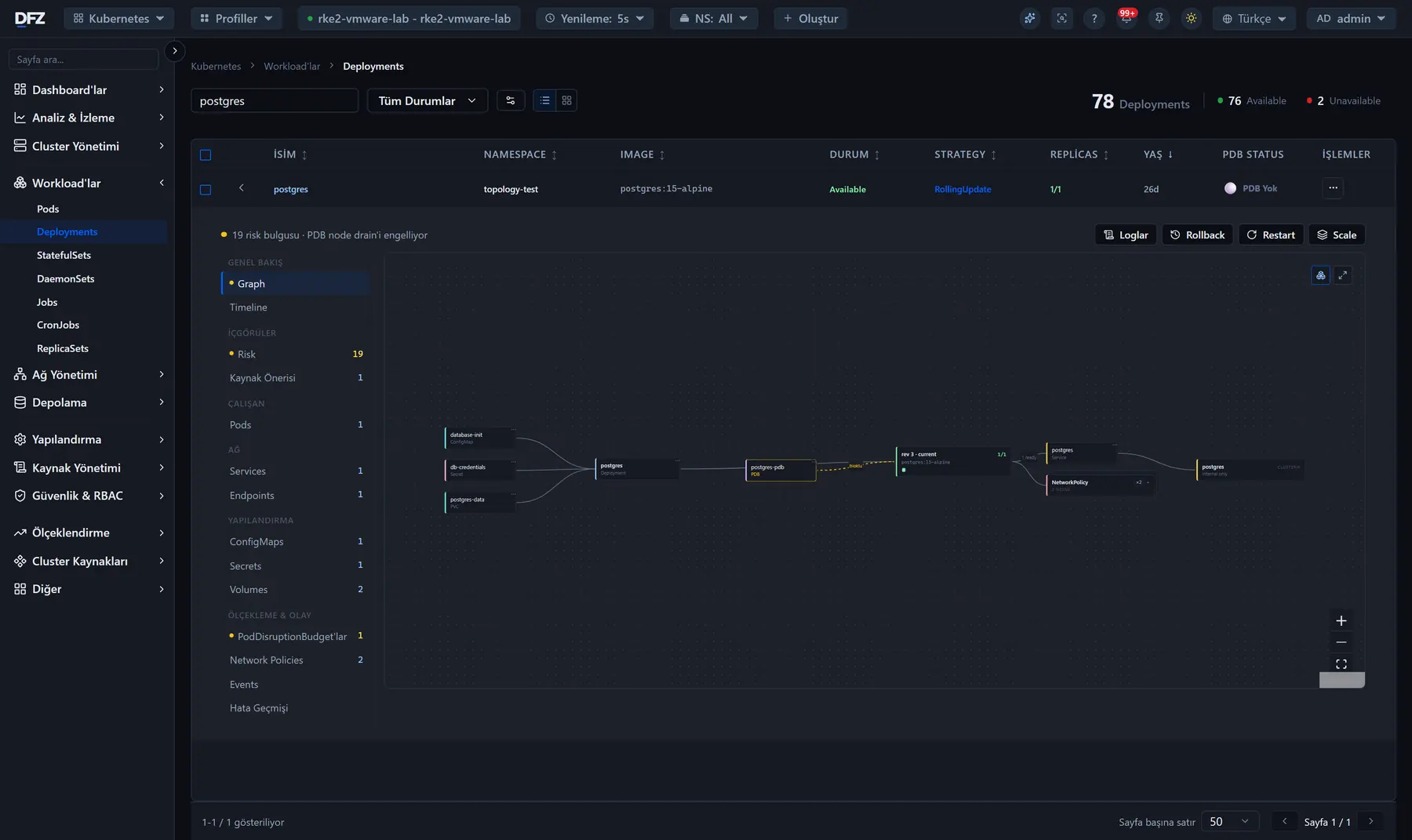
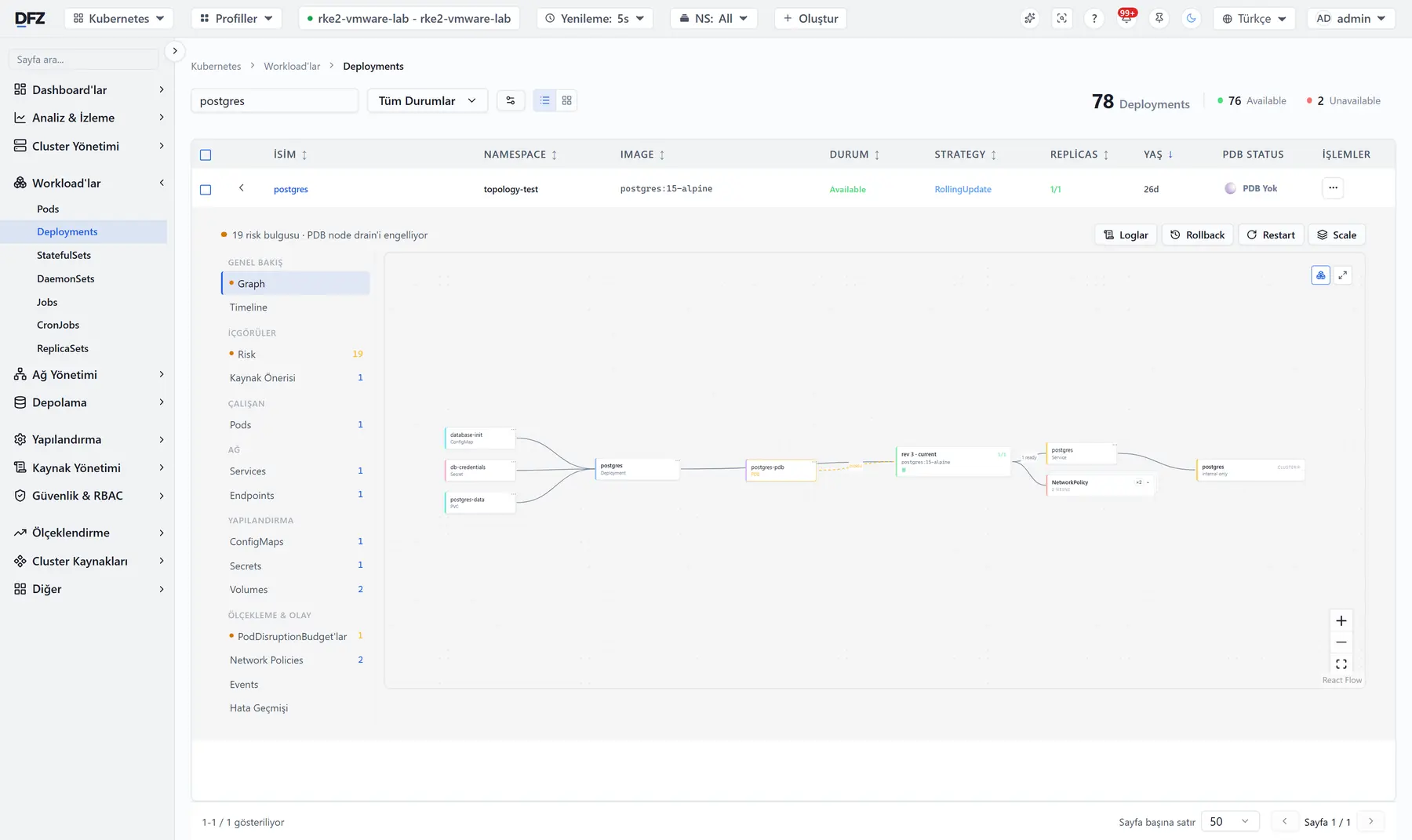
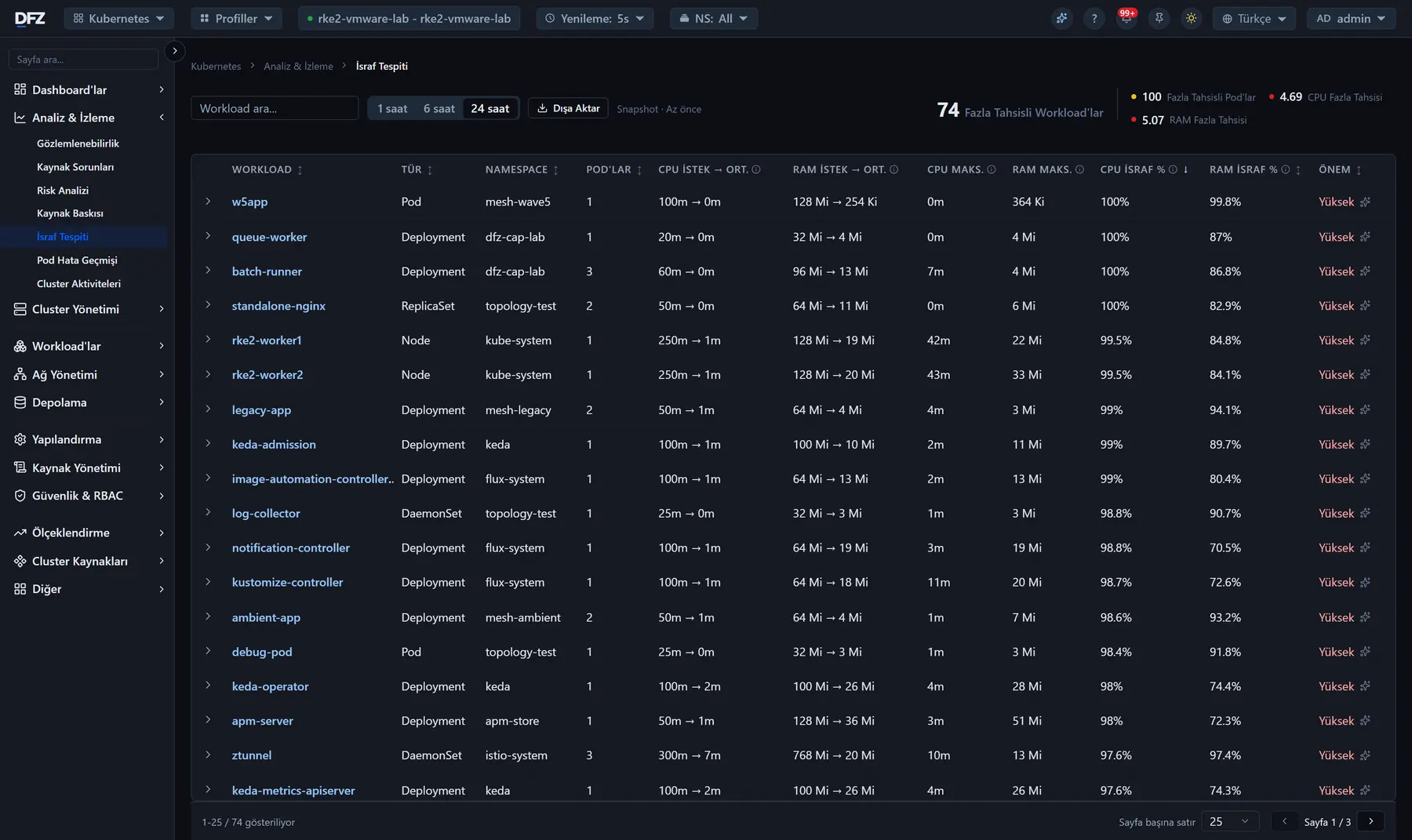
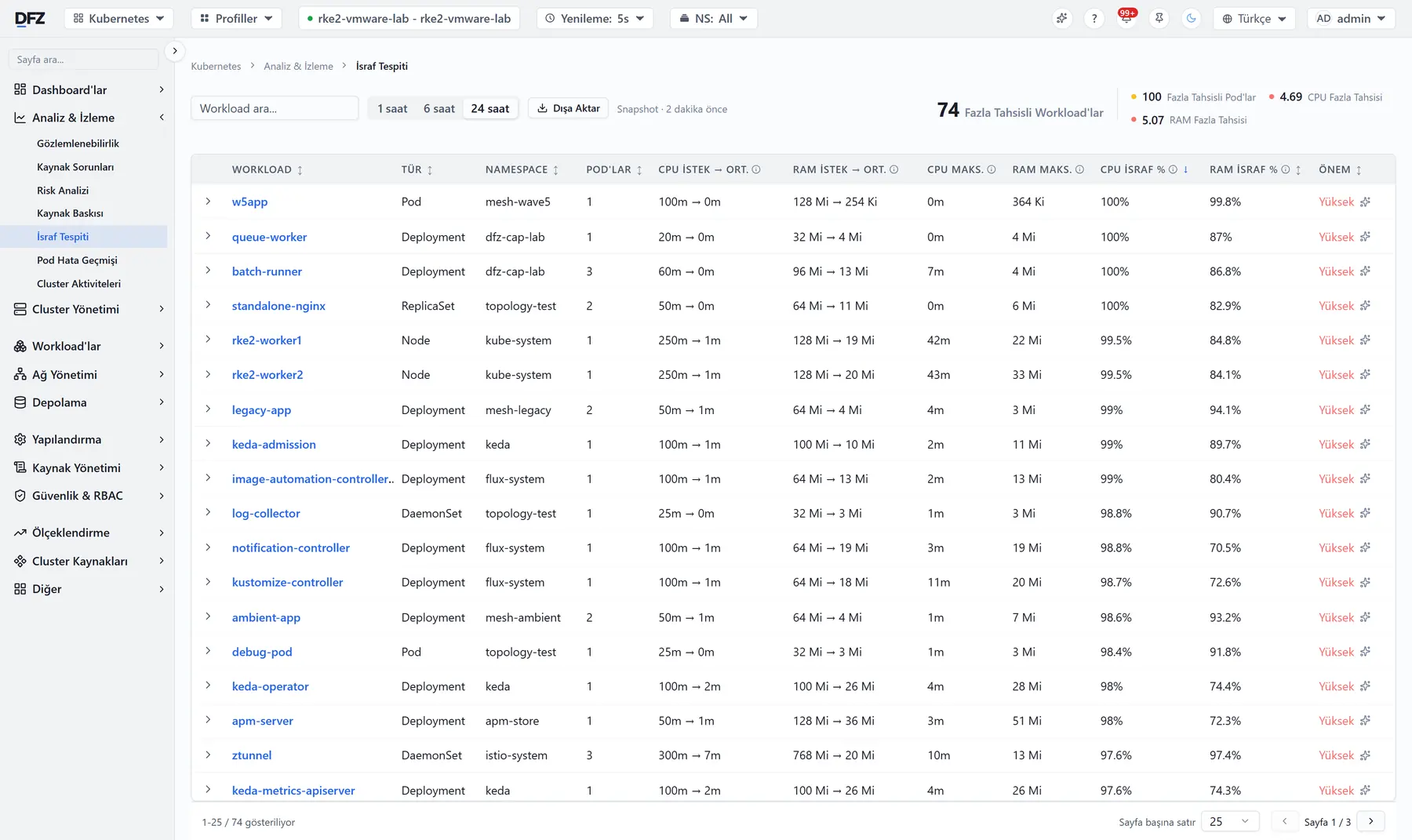
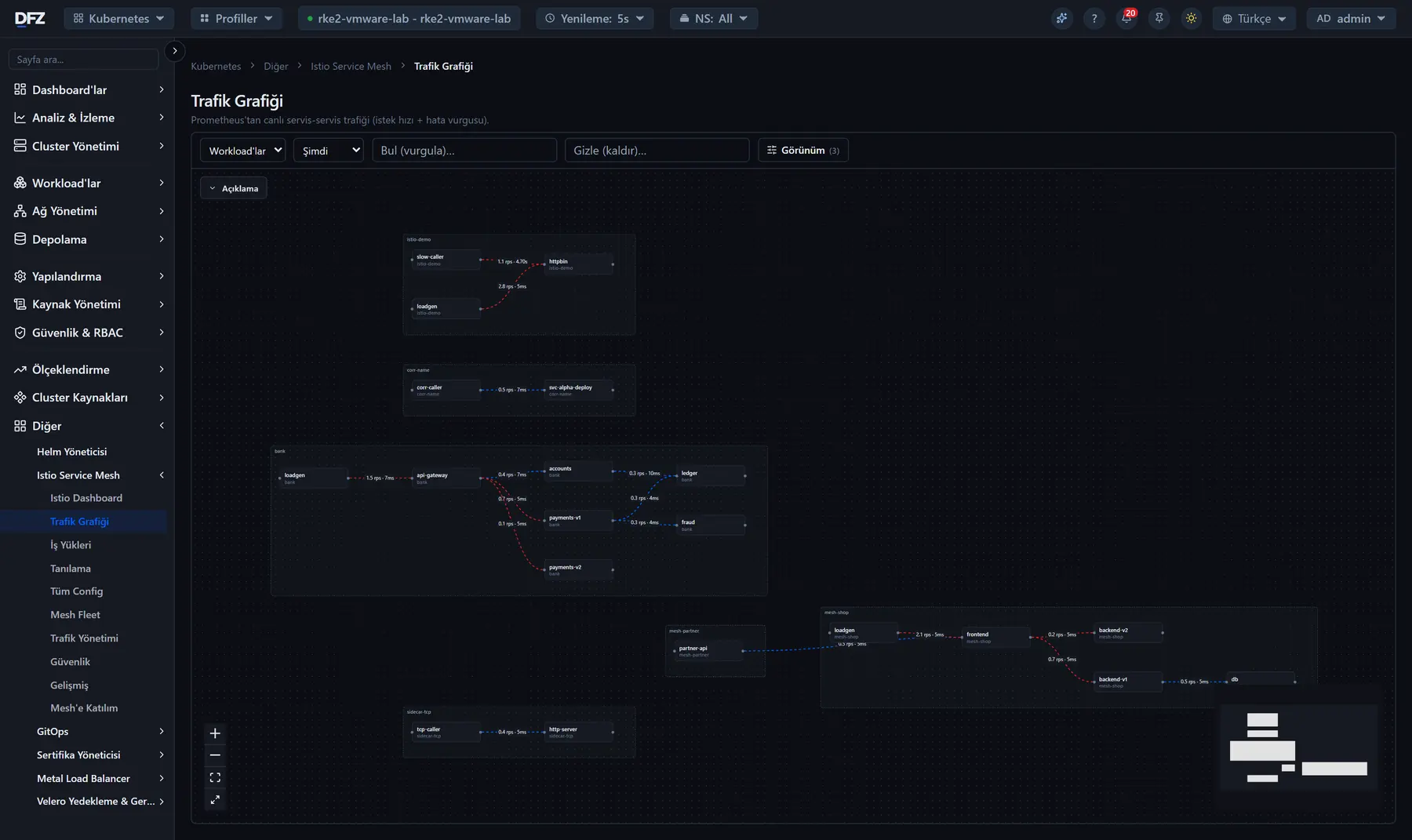
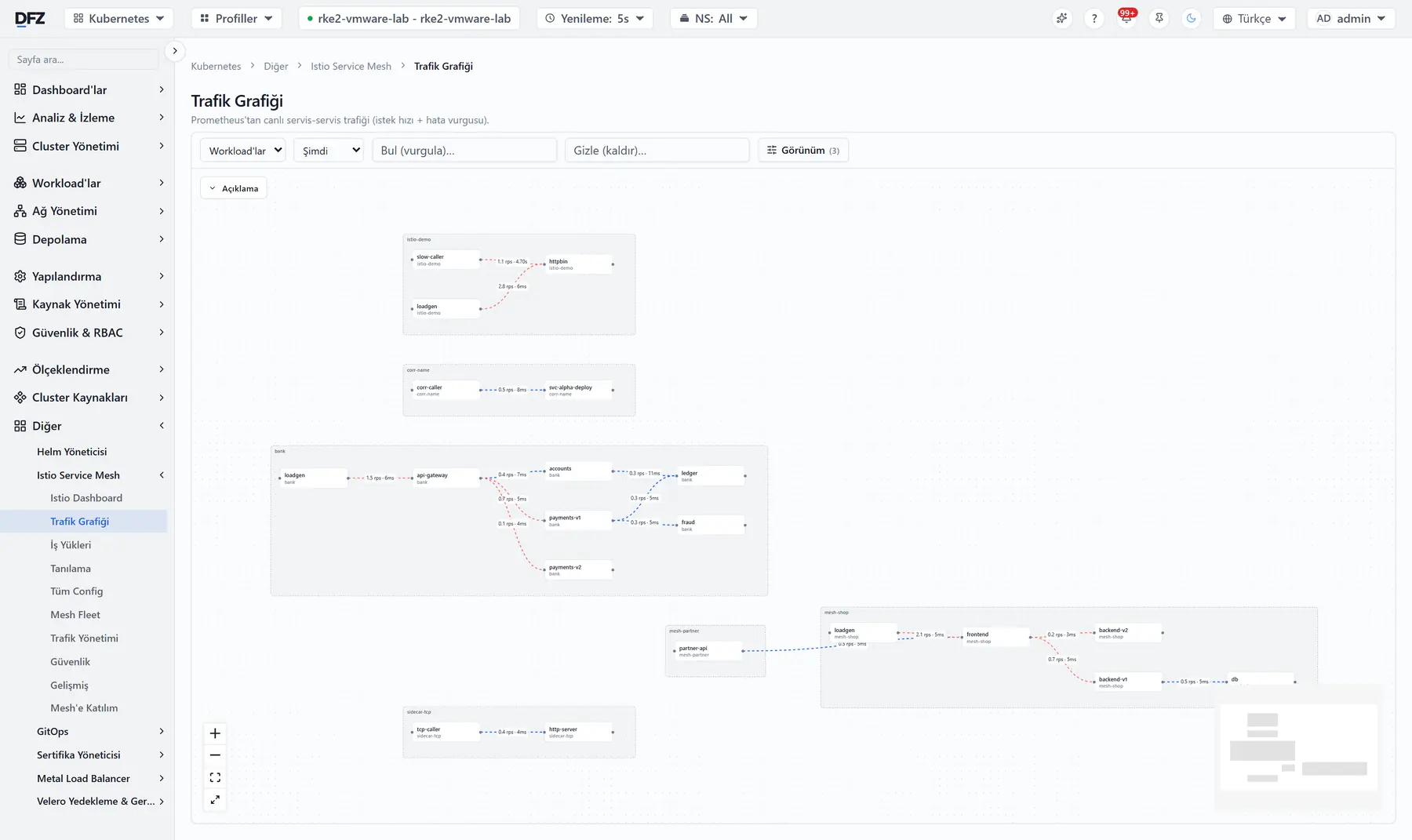
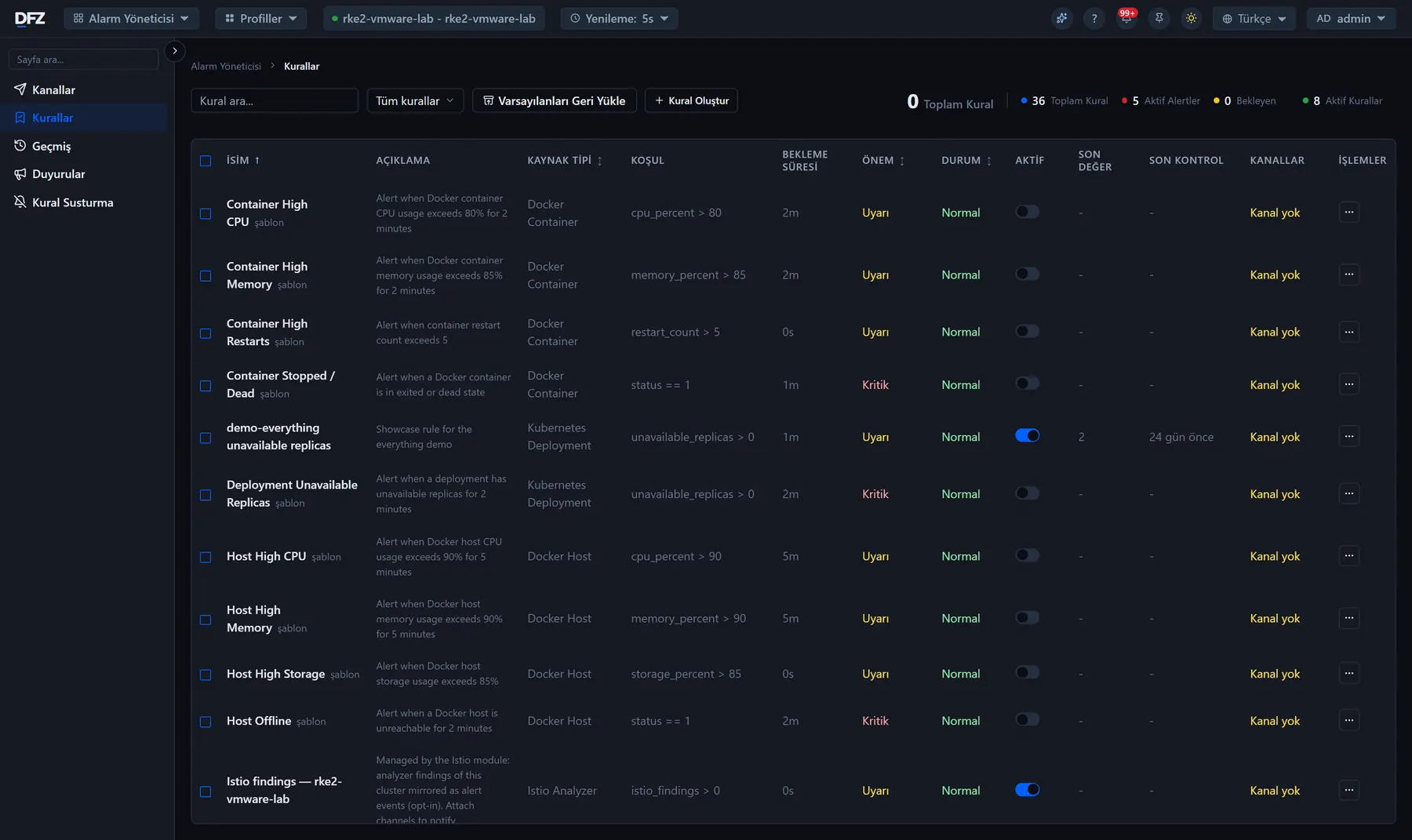
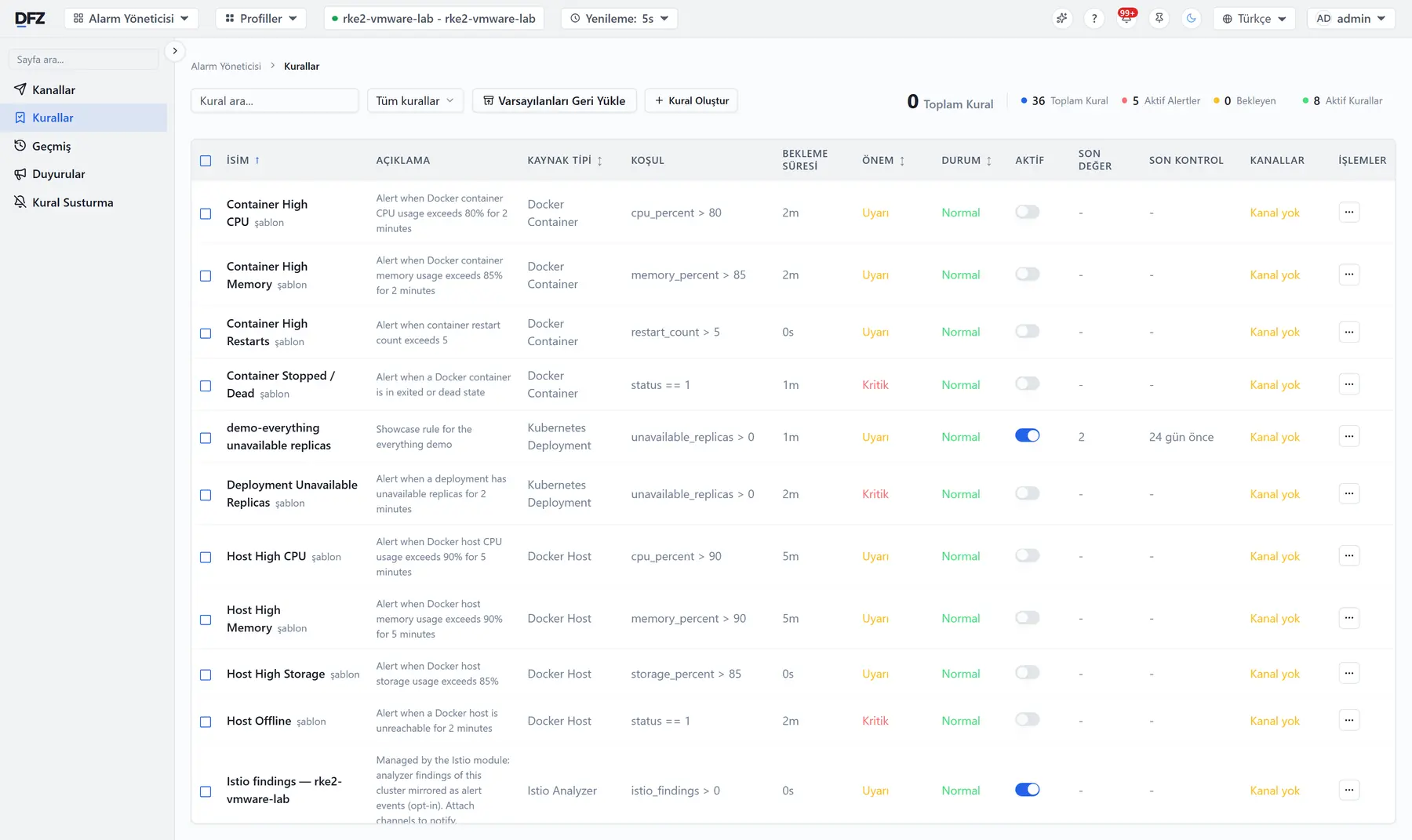
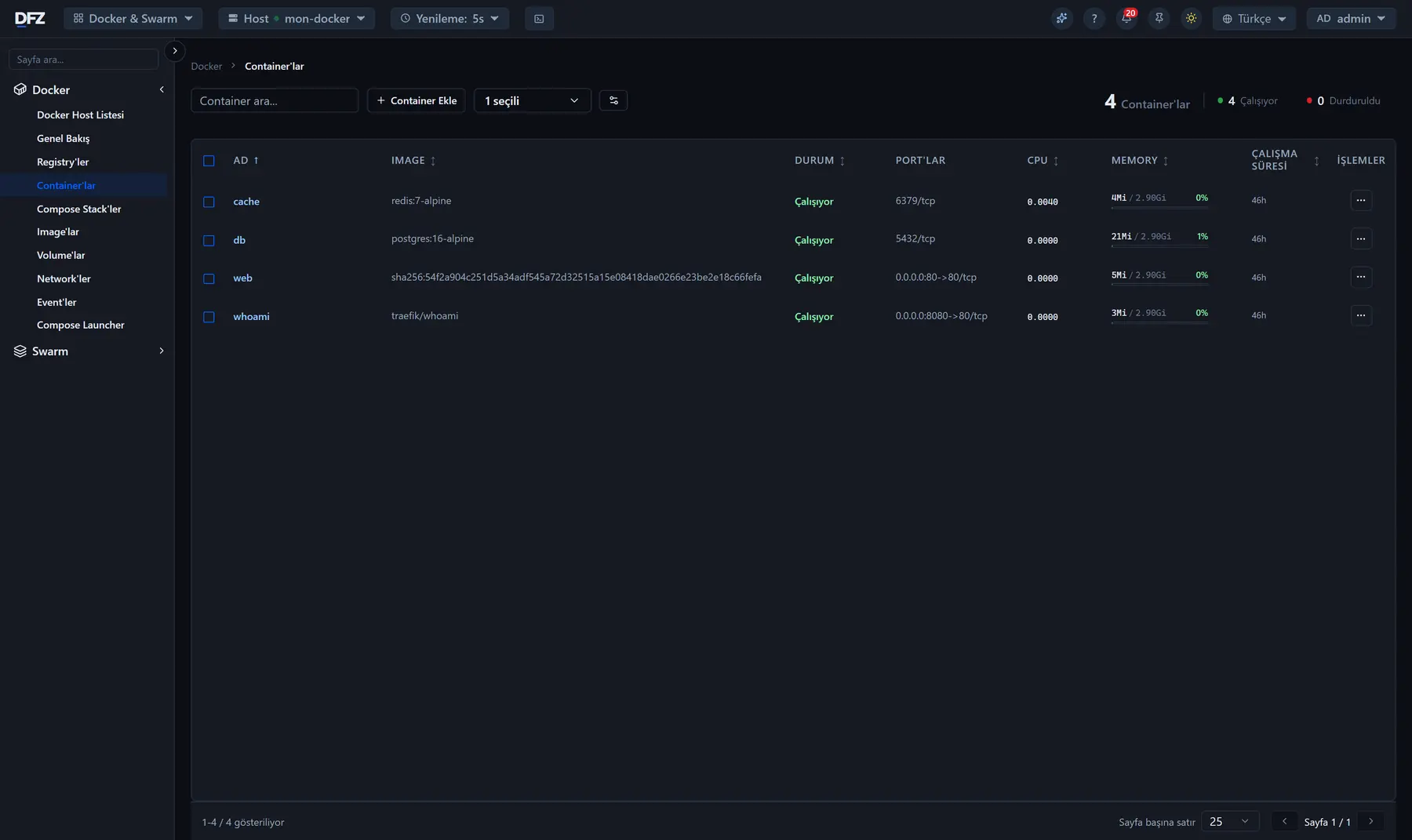
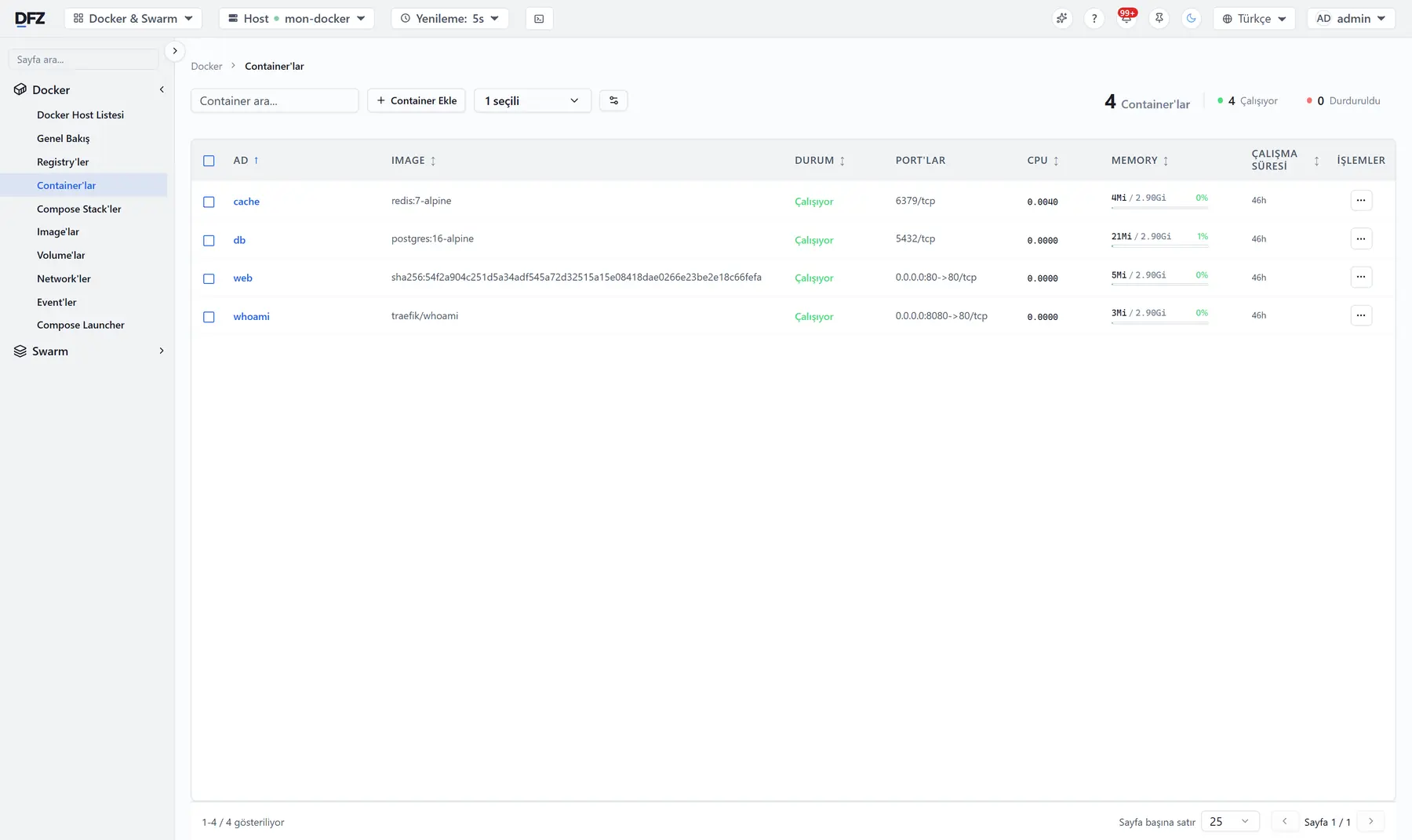
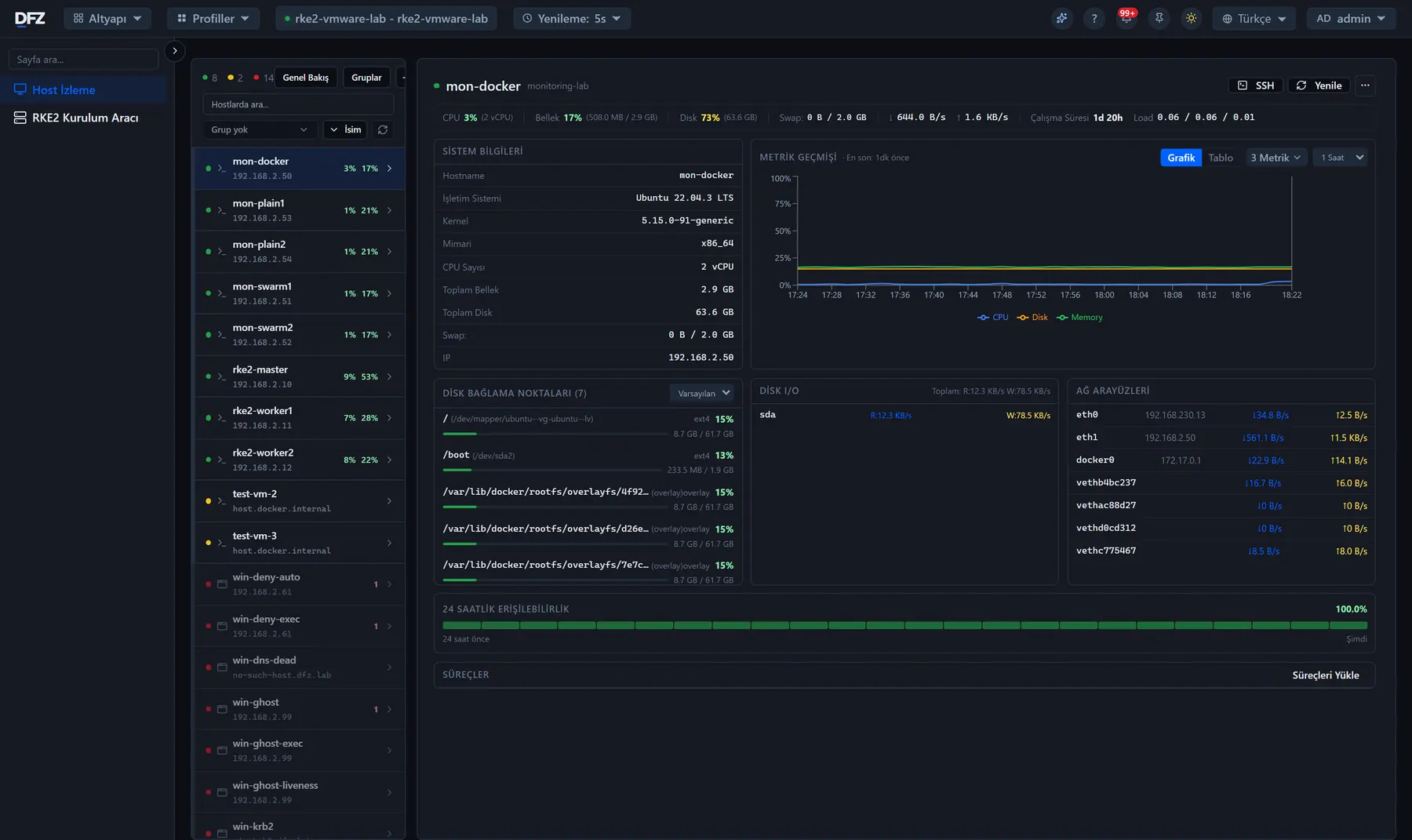
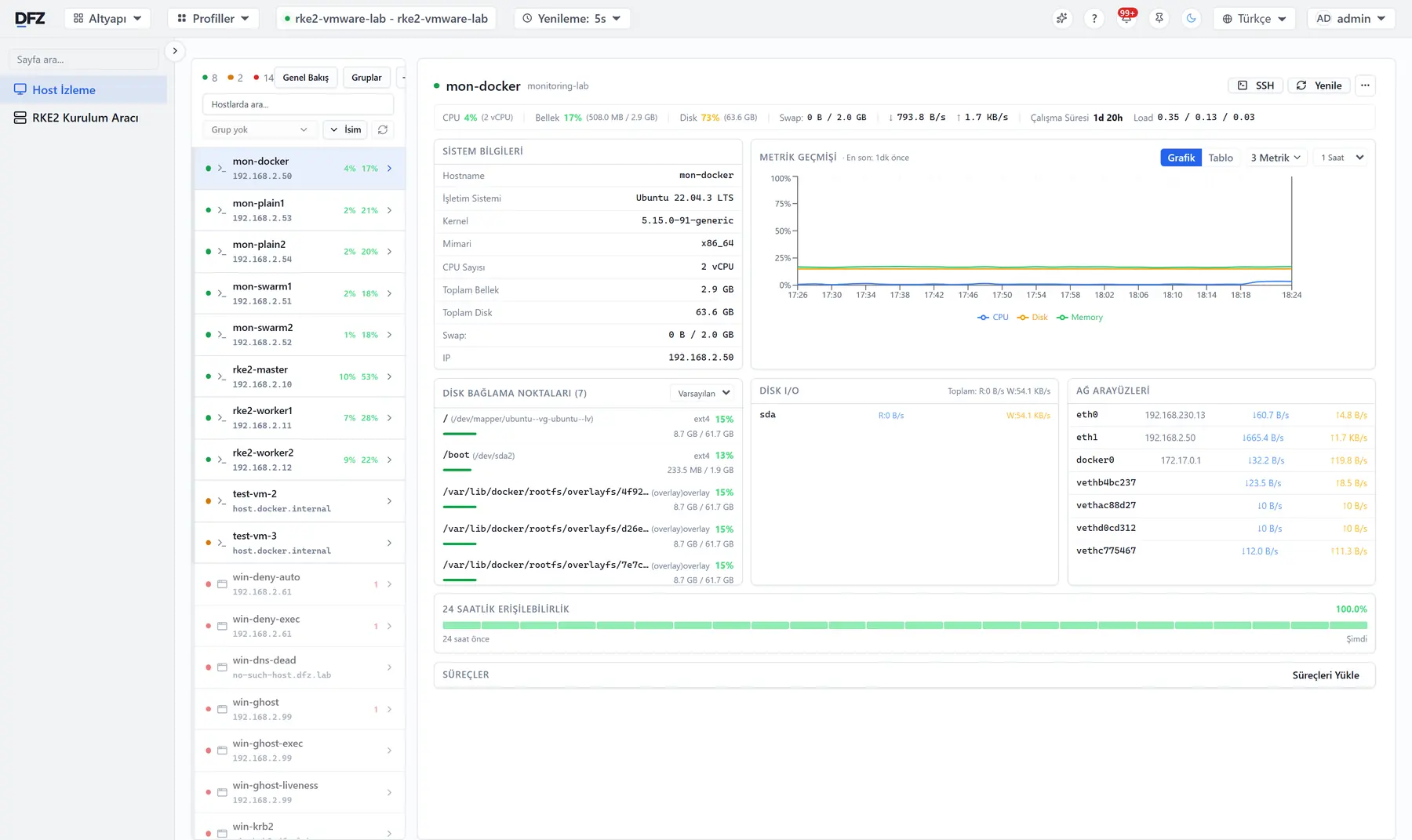
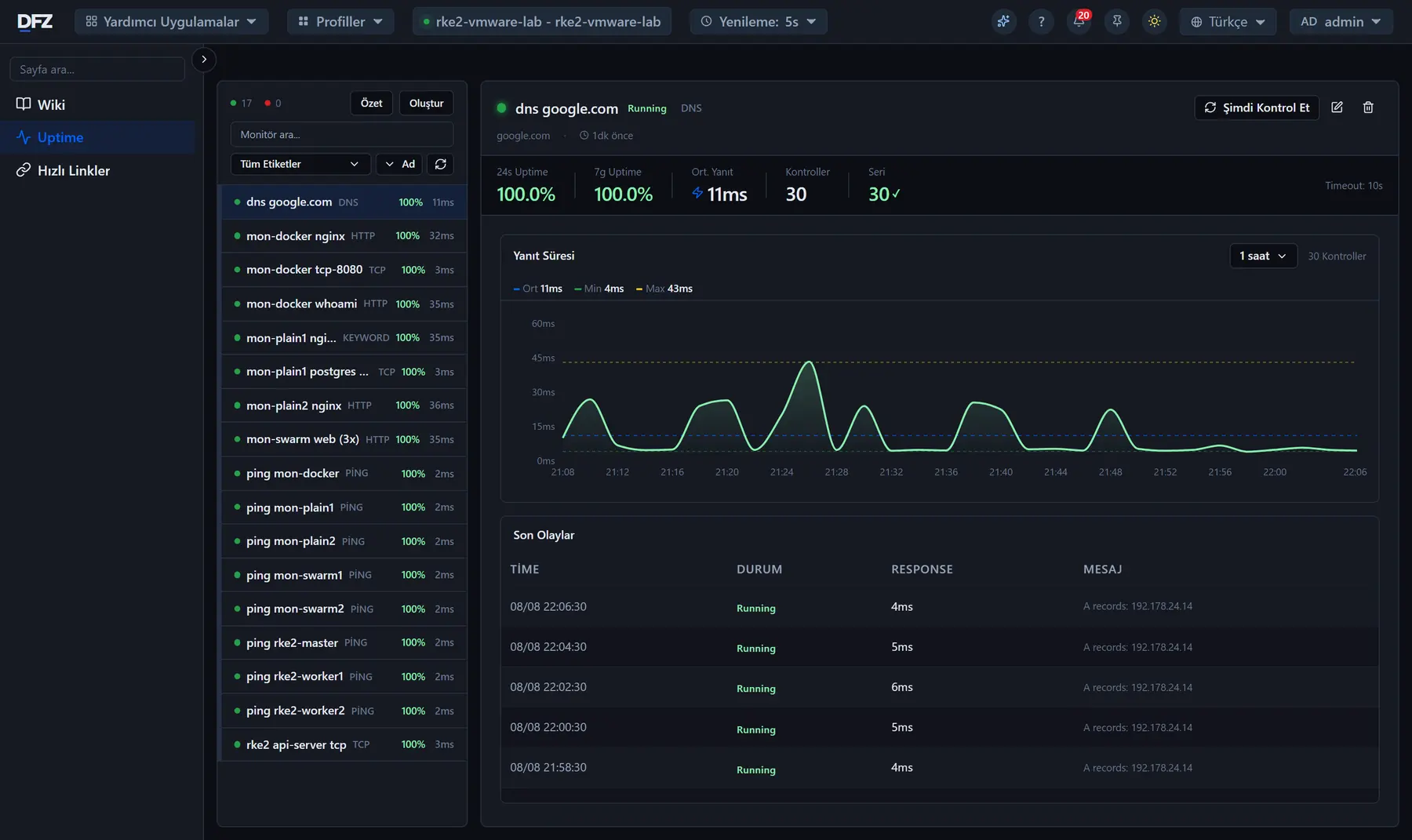
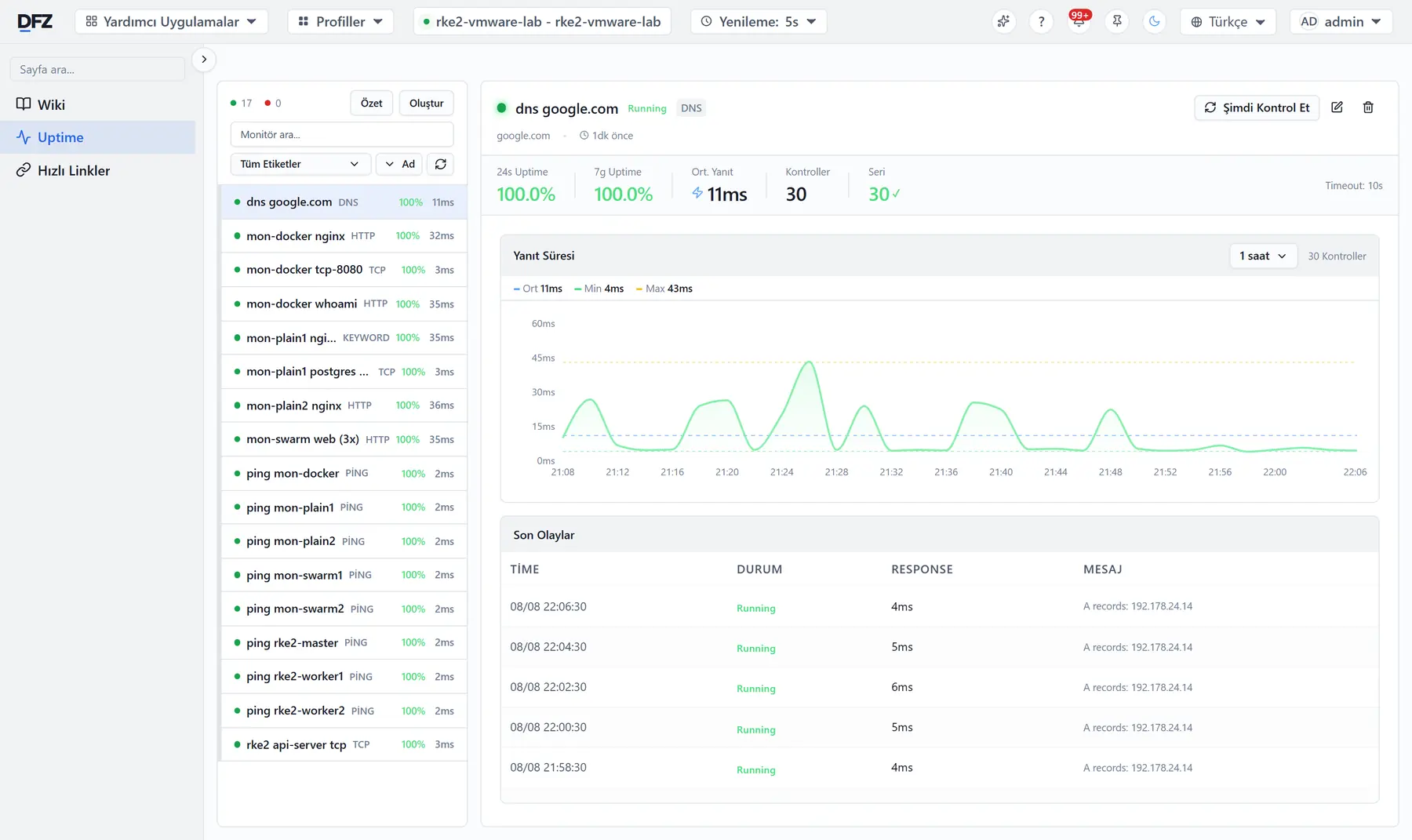
Çalışan bir cluster'dan gerçek ekranlar. Başlıktan temayı değiştirin — görseller de değişir.
Sağlık tek bir oran olarak, o an yaşanan sorunlar hemen yanında; altında uygulama, depolama ve ağ özetleri.
Deployment'ı açın: ConfigMap'i, Secret'ı, volume talebi, kesinti bütçesi, servisleri ve network policy'leri tek şemada — yanında risk bulguları, sürümler ve olay geçmişi.
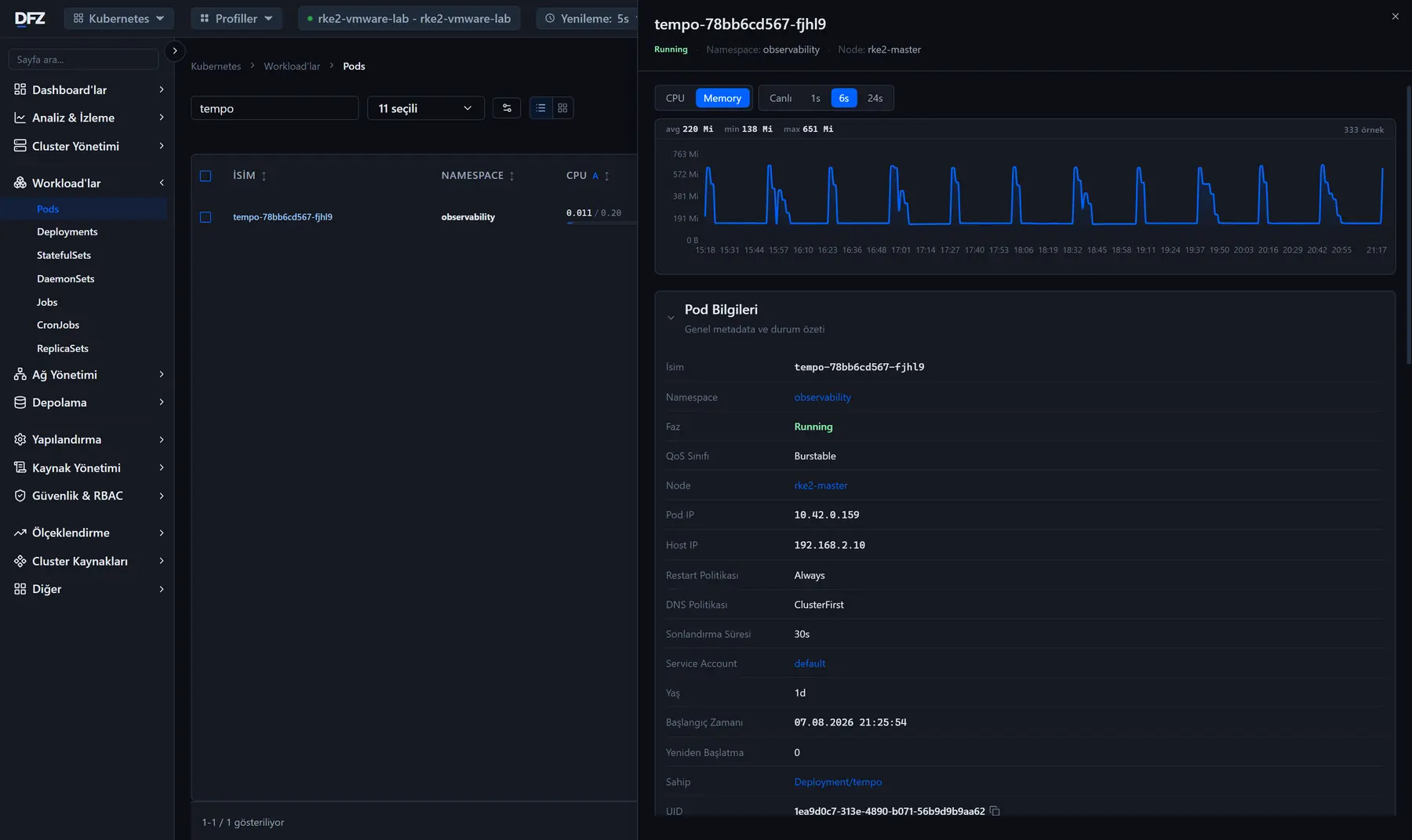
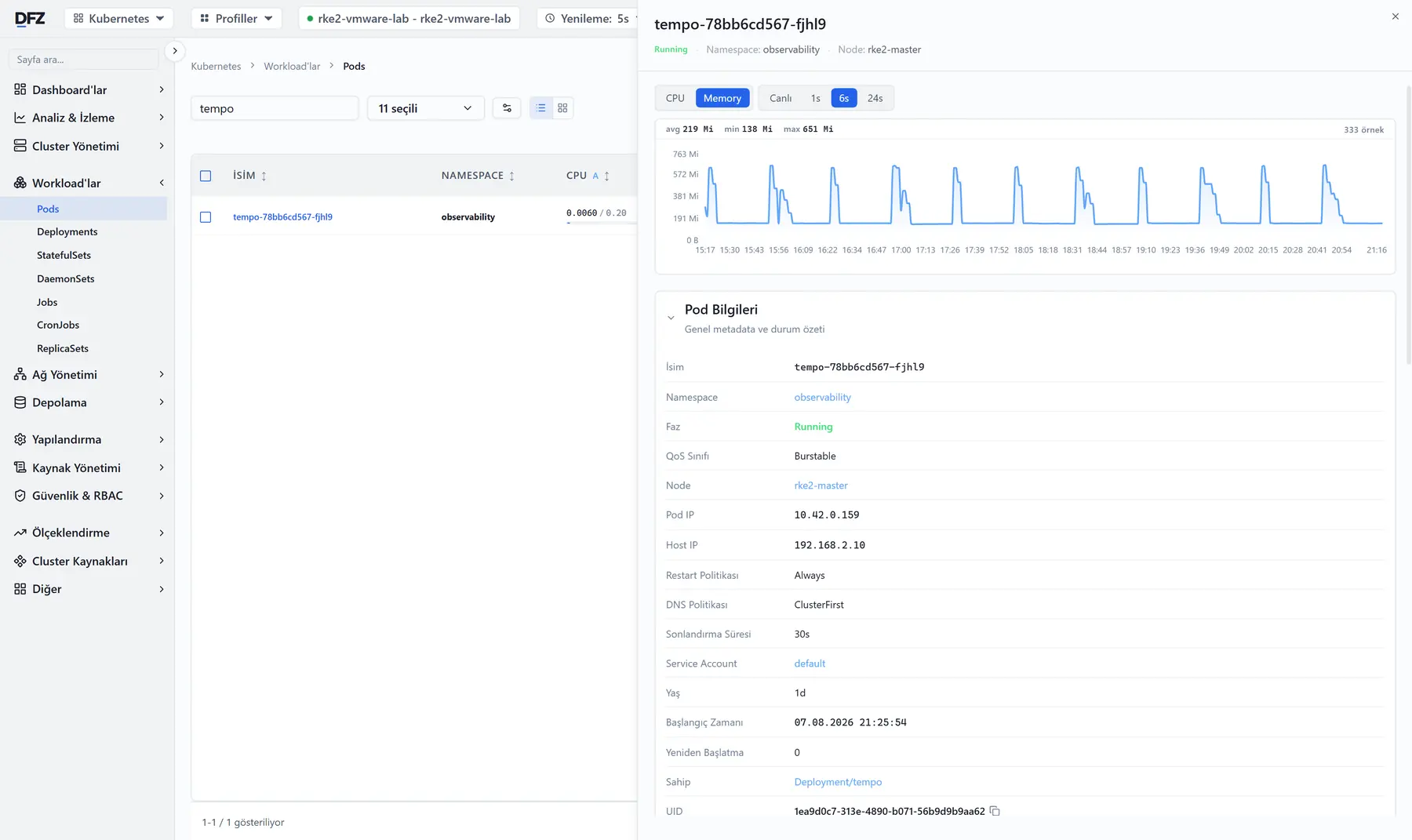
Pod'u açın: seçtiğiniz aralıkta işlemci ve bellek eğrisi, ortalama ve tepe değeriyle. Grafiğin altında pod bilgileri, koşullar, olay geçmişi, container ve volume'ler.
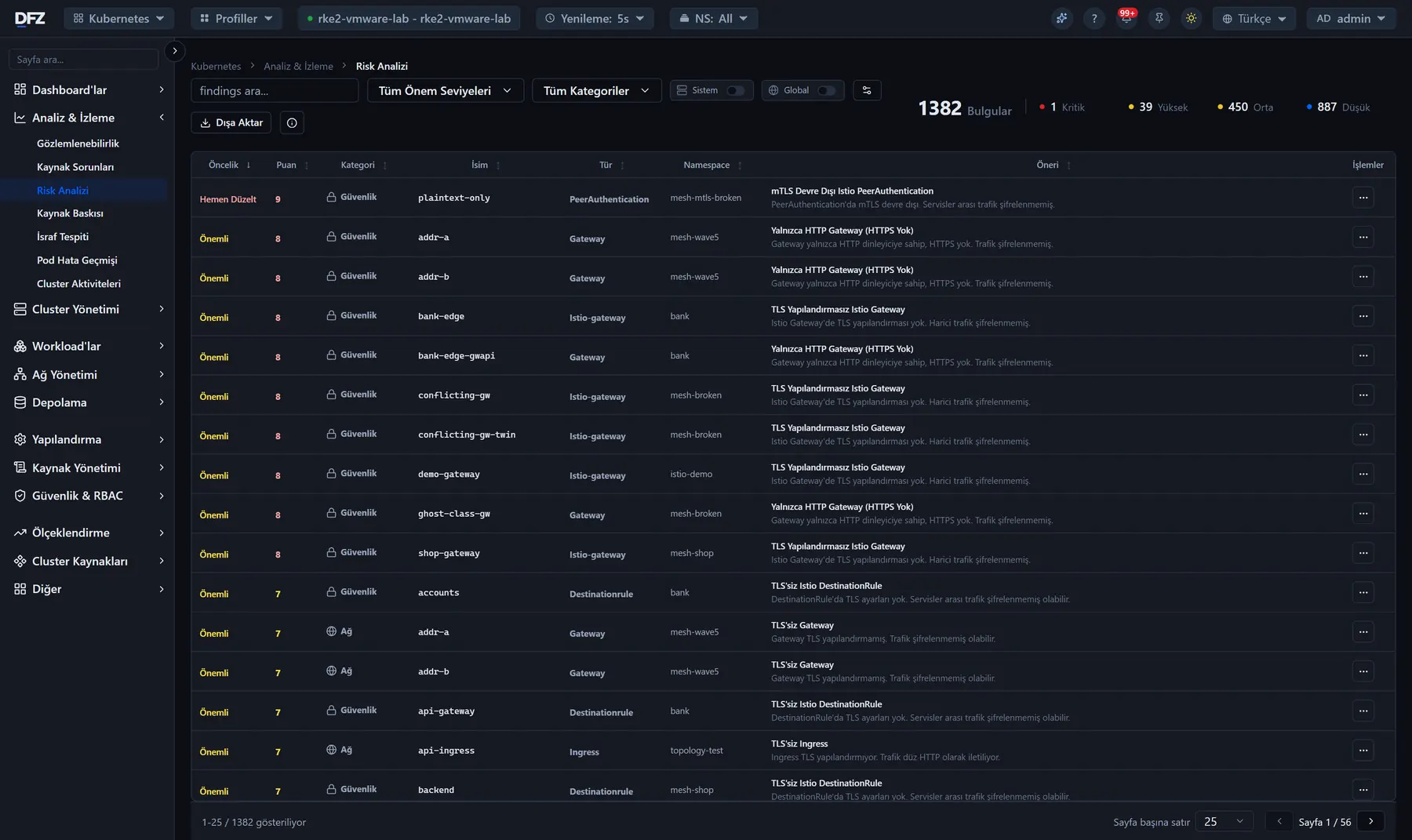
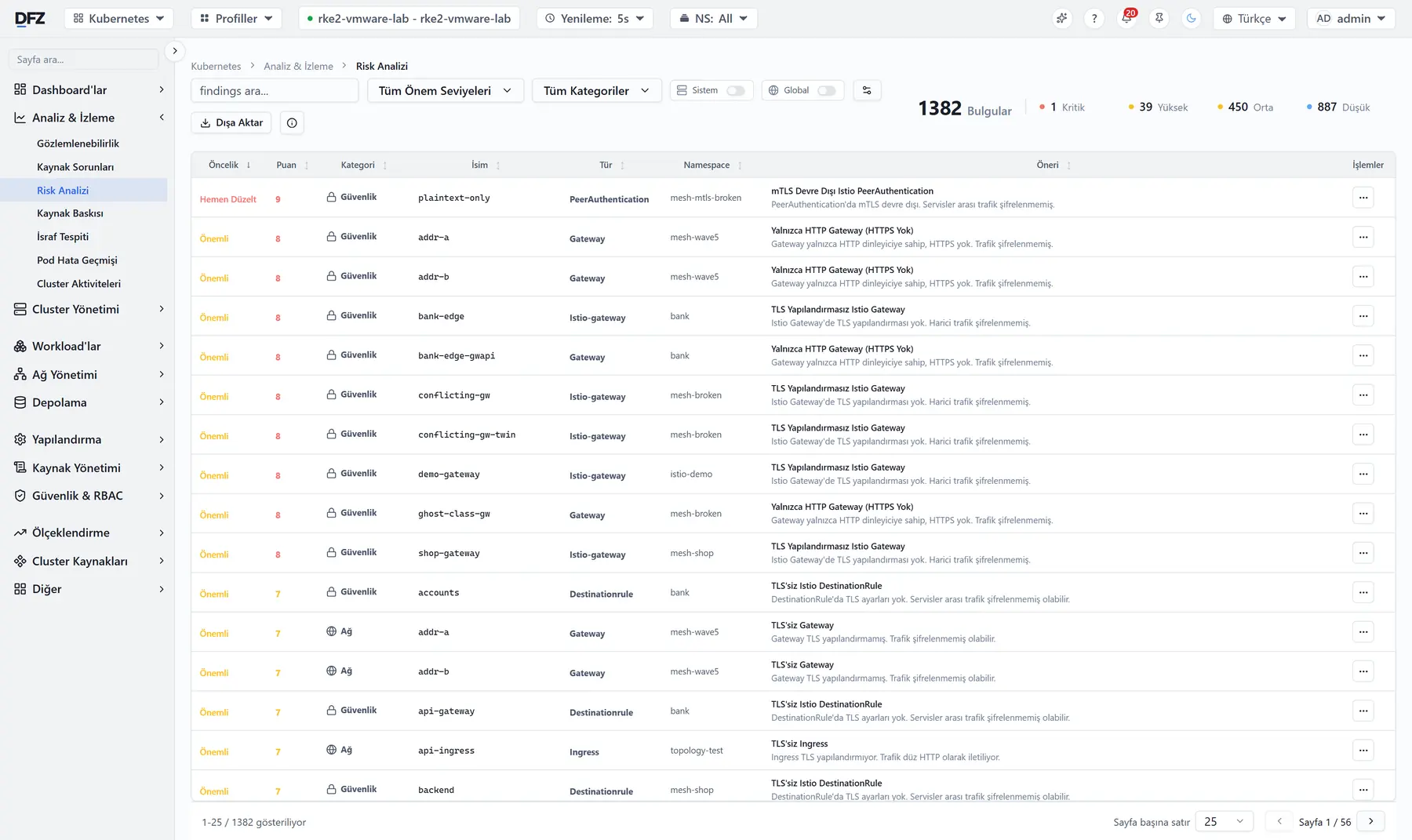
Tetiklenen her kural puanlanmış ve sıralanmış halde; namespace'i, nesnesi ve ne yapılacağı yanında.
Uygulama başına istenen işlemci ve bellek ile gerçekte tüketilen karşılaştırılıyor — faturada karşılığı olan liste.
Servisler arası çağrıların canlı haritası; her bağlantıda istek hızı ve gecikme, hata dönen yollar kırmızı.
Kaynak tipini, ölçütü, eşiği ve önem derecesini seçin, kanalları işaretleyin. Hazır kurallar kapalı olarak gelir.
Container durumu, imajı, portları, işlemci ve bellek kullanımı, çalışma süresi — ve sayfadan çıkmadan içine terminal.
Hangisi ayakta, hangisi cevap vermiyor, hangisi zorlanıyor — Windows, Linux ve macOS, ajan kurmadan.
HTTP, TCP, ping, DNS ve anahtar kelime kontrolleri; yanıt süresi geçmişi ve her kontrolün kaydı. Bozulan kontrol aynı alarm zincirine düşer.
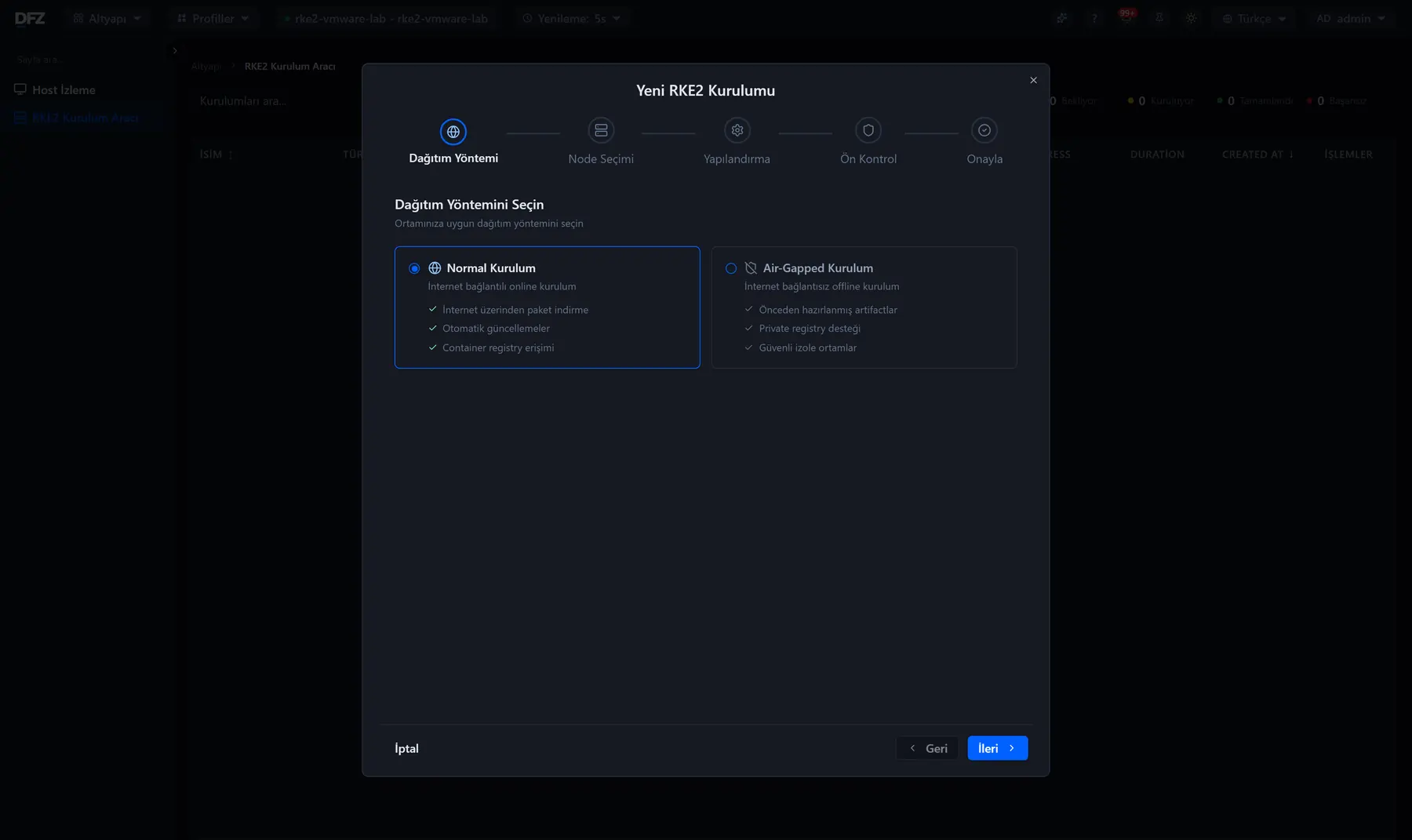
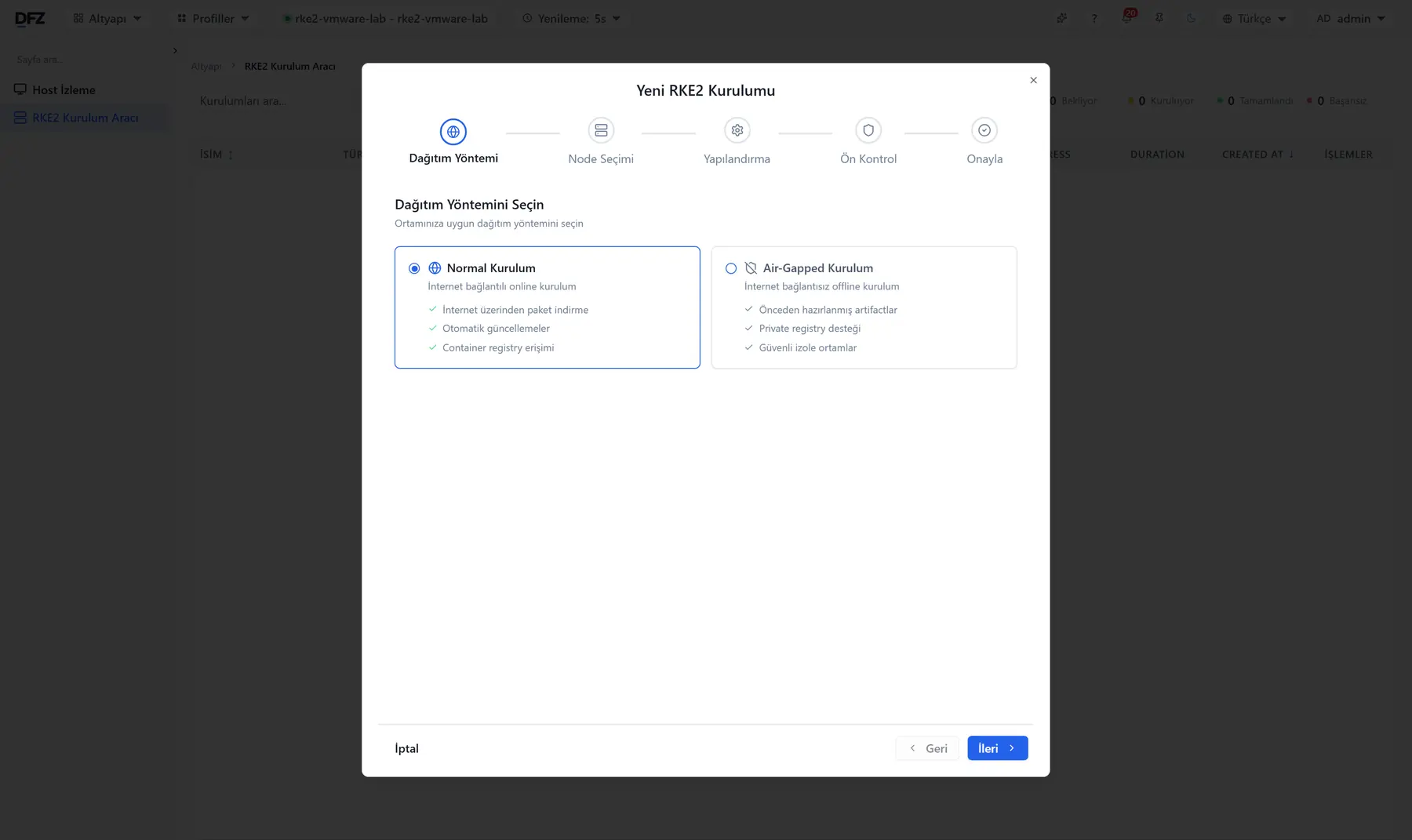
Dağıtım yöntemi, node seçimi, yapılandırma, ön kontrol ve onay. İnternete kapalı kurulum, önceden hazırlanmış artifact'lar ve kendi registry'nizle yürür; hiçbir adımda dışarı çıkmaz.
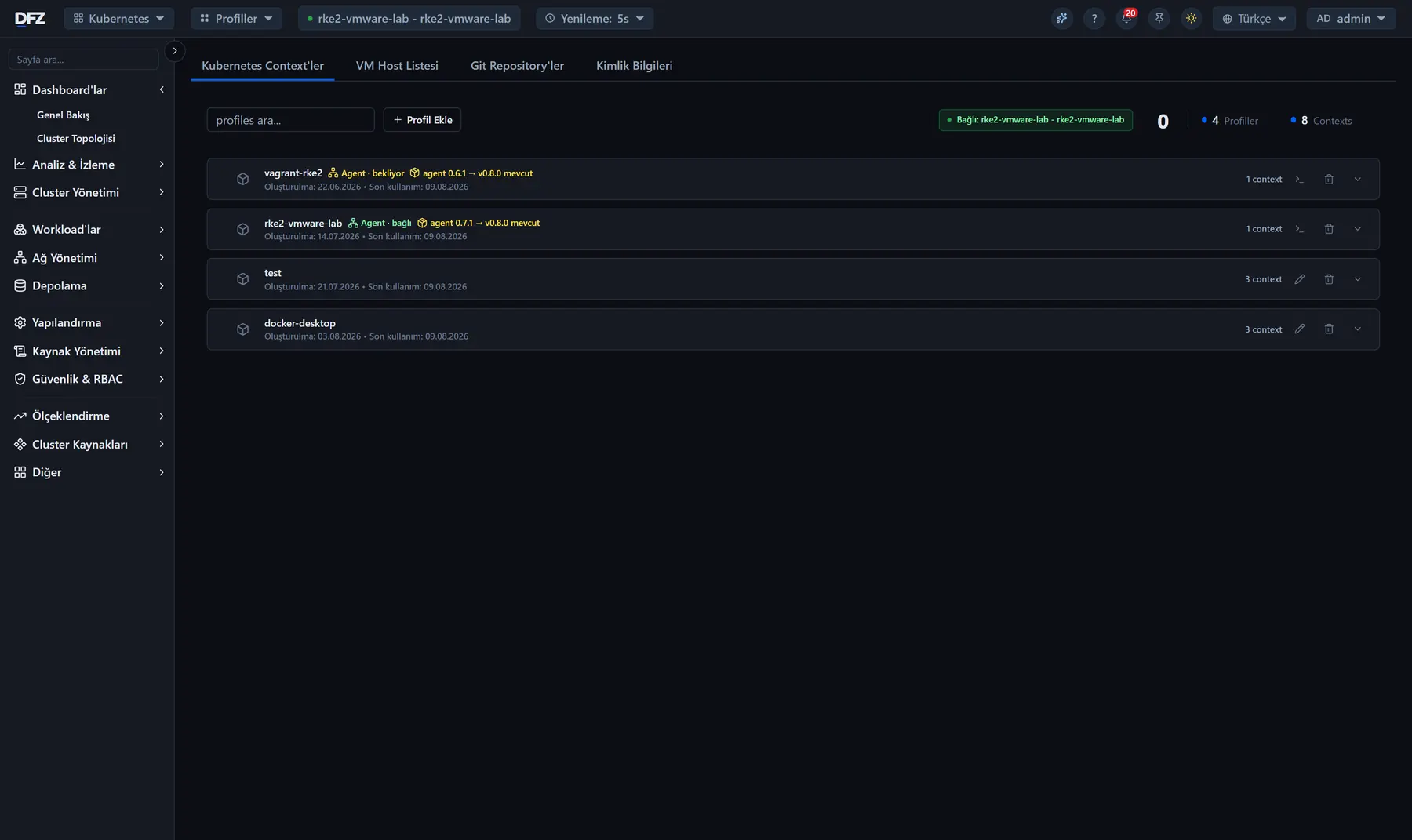
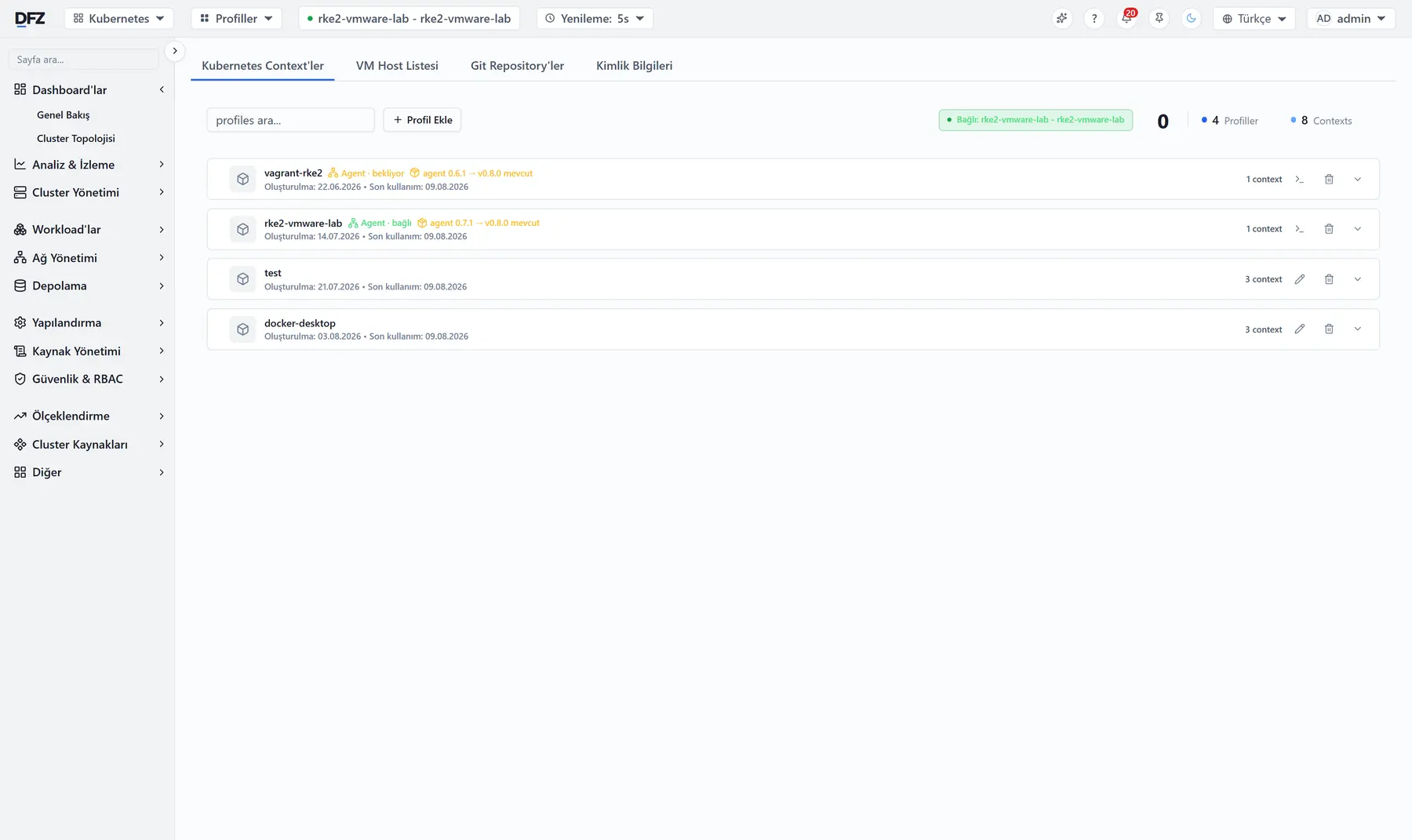
Kubernetes context'leri, sunucular, Git repository'leri ve erişim bilgileri tek merkezde. Her profil kendi agent durumunu ve sürümünü taşır; neye erişilebildiğini ihtiyaç duymadan önce görürsünüz.
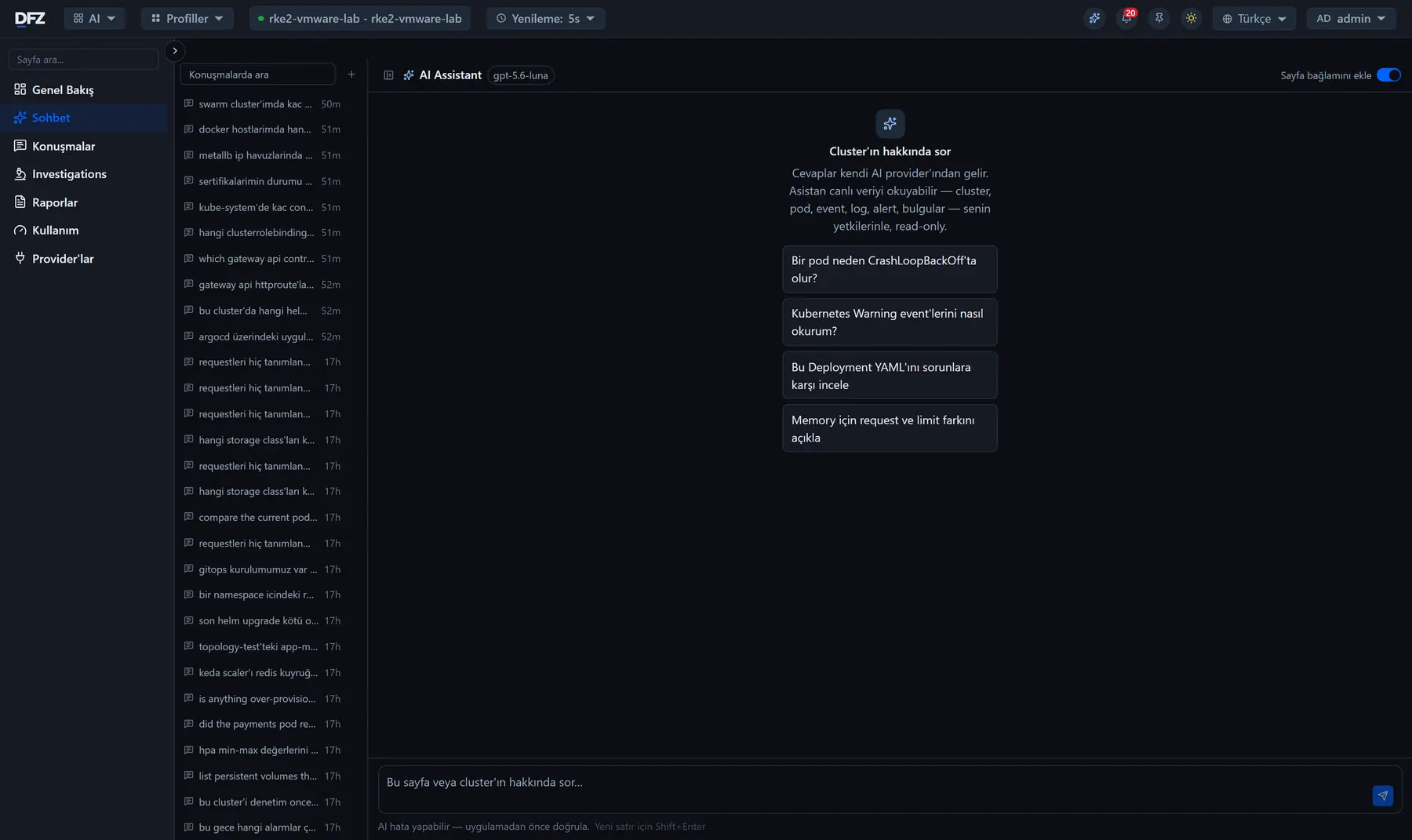
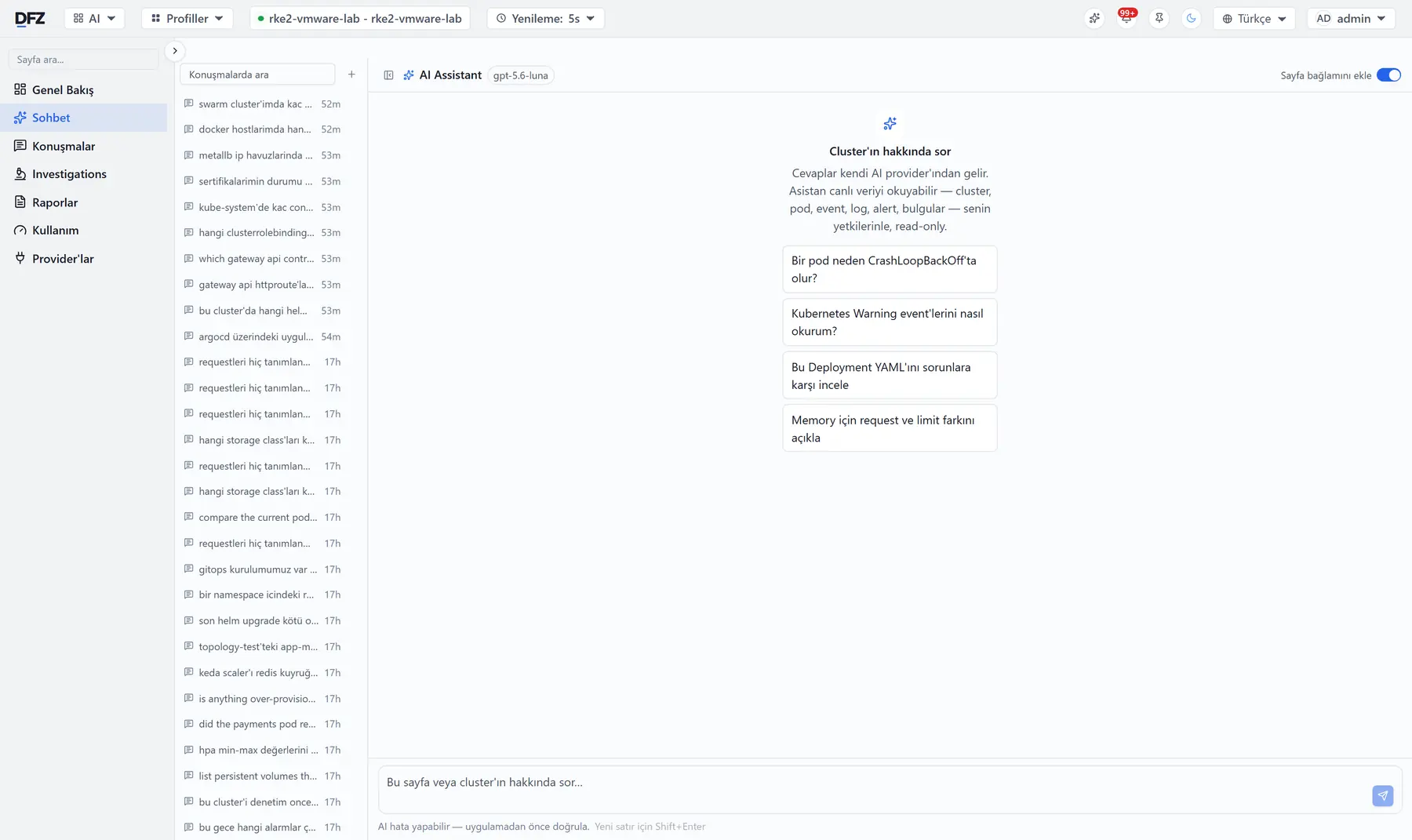
Asistan, açık olduğunuz sayfanın canlı verisinden cevap verir; tanımladığınız yapay zekâ sağlayıcısı ve anahtarıyla.
Kubernetes yönetim paneli değil — karma altyapı için operasyon konsolu.
Bir uygulamanın altındaki bütün pod'ların log'larını tek terminalde canlı izleyin. Pod başına renk ayrımı, pod'lar arası arama, container seçimi, duraklat ve devam et, canlı akış istatistikleri.
Kubernetes, Docker, sunucular ve uptime kontrolleri için kuralı bir formla kurarsınız — sorgu dili yazmanız gerekmez. Uyarıyı e-postaya, Slack'e, Microsoft Teams'e, Discord'a, Telegram'a, genel bir webhook'a ya da gelen webhook kabul eden herhangi bir sohbet aracına yönlendirin. Aktif uyarılar, geçmiş, susturma ve duyurular tek yerde.
Açık olduğunuz sayfa hakkında sorarsınız. Asistan cluster, pod, olay, kayıt ve alarm verisini canlı okur — sizin yetkinizle ve yalnızca okuma izniyle. Model seçtiğiniz sağlayıcıdan, sizin anahtarınızla gelir; bize hiçbir şey gitmez. Derin araştırmalar ve periyodik raporlar aynı katmanda.
170 denetim kuralı bulguları önem sırasına koyar ve her birinin yanına ne yapılacağını yazar. İsraf tespiti, kullandığından fazla işlemci ve bellek tutan uygulamaları listeler. Pod hata geçmişi, pod silindikten sonra da OOMKilled, CrashLoop ve tahliye olaylarını saklar.
Hangi servis hangisini çağırıyor, saniyede kaç istekle ve ne gecikmeyle — hata dönen yollar ayrı renkte. Arkasında tam Istio yönetimi durur: gateway'ler, virtual service'ler, yetkilendirme politikaları ve yapılandırma çözümleyici.
Windows, Linux ve macOS sunucularından işlemci, bellek, disk, ağ ve süreç ölçümleri — fiziksel ya da sanal, sunucuya ajan kurmadan. Yanında HTTP ve HTTPS uptime kontrolleri: yanıt süresi ve sertifika bitiş takibiyle, aynı alarm zincirine bağlı.
ArgoCD uygulamaları ve FluxCD uzlaştırması için ayrı panolar. Artifact Hub keşfi, internetsiz kurulum, akıllı yükseltme ve geri alma özellikleriyle Helm kataloğu. SSH üzerinden çok düğümlü RKE2 kurulumu — bağlantılı ya da tamamen çevrimdışı.
Kubernetes bağlamları, SSH sunucuları, Git depoları ve erişim bilgileri tek merkezde. Erişim bilgileri şifreli saklanır ve ekrana geri basılmaz. Kimin hangi sayfayı göreceğini rol bazlı yetki belirler.
Önce operasyon yetenekleri, sonra cluster ve sunucu başlıkları.
Tek komut imajları indirir ve stack'i başlatır.
docker-compose.yml içinde değiştirilir — ayrı bir .env dosyası yoktur.
İmajlar, stack ve kurulum betiği tek arşivde. Bir kez indirin, içeri taşıyın, tek betik çalıştırın.
config.env dosyasına kendi registry'nizi yazın, kurulum her şeyi oraya kopyalasın — ya da ./install.sh --no-registry ile yüklenen imajlardan doğrudan çalışın. Her sürümde amd64 ve arm64 paketleri hazır.
--rollback ile önceki sürüme dönersiniz.
config.env, .env ve backups/ arşivde yok — veri de Docker volume’lerinde, dokunulmadan duruyor.
Hayır. DFZ kendi sunucunuza kurduğunuz bir üründür; kaynak kodu yayımlanmaz. Container imajları ghcr.io üzerinde barınır ve indirilmesi ücretsizdir.
Kubernetes'i kurar. RKE2 kurulum aracı, SSH üzerinden çok düğümlü bir cluster'ı bağlantılı ya da tamamen çevrimdışı ortamda kurar.
Docker ve sunucular kurulmaz, bağlanır. Docker bağlandıktan sonra yönetilir — container, imaj, ağ, kayıt, terminal. Sunucular ise izlenir: işlemci, bellek, disk, ağ ve erişilebilirlik. İzleme işletim sistemi üzerinden yapıldığı için sunucunun fiziksel ya da sanal olması fark etmez.
Hayır. Çevrimdışı paket, imajları, stack'i ve kurulum betiğini tek bir arşivde taşır. Kurulum sırasında hiçbir şey indirilmez; bu yüzden DFZ dışarı çıkışı olmayan ağlarda da çalışır.
Hayır. DFZ sizin sunucunuzda çalışır; log'lar, ölçümler ve erişim bilgileri orada kalır. Erişim bilgileri şifreli saklanır ve ekrana geri basılmaz. Kimin hangi sayfayı görebileceğine rol bazlı yetki karar verir.
Sizinkini. Sağlayıcıyı ve API anahtarını siz eklersiniz, aralarında geçiş yapabilirsiniz. Asistan sistem verisini sizin yetkinizle ve yalnızca okuma izniyle okur; ürün, cevapların uygulanmadan önce doğrulanması gerektiğini açıkça yazar.
Docker Compose kurulu bir sunucu. İmajlar amd64 ve arm64 için yayımlanır. Stack; Postgres, Redis, backend, terminal servisi ve arayüzden oluşur; 3080 portundan erişirsiniz.
Container imajları ghcr.io üzerinde ücretsiz. Belgeleri okuyun, issue açın.